Frogga
A vertical slice of a physics based Metroidvania.
A 2.5D Metroidvania (puzzle platformer) where all the main mechanics are physics based.
- Active-ragdoll animation system driven by Hooke's law on top of Jolt Physics
- Behaviour tree plugin so enemies could be built in the editor without code
- General purpose save system that persists physics state across zone loads supporting any godot properties
- All of the technical implementation in the game
Key LessonReusable tools pay off fast. With such a small team, even more tools would have helped our content bottleneck. Level creation workflow would have benefitted greatly with more in-editor tooling.
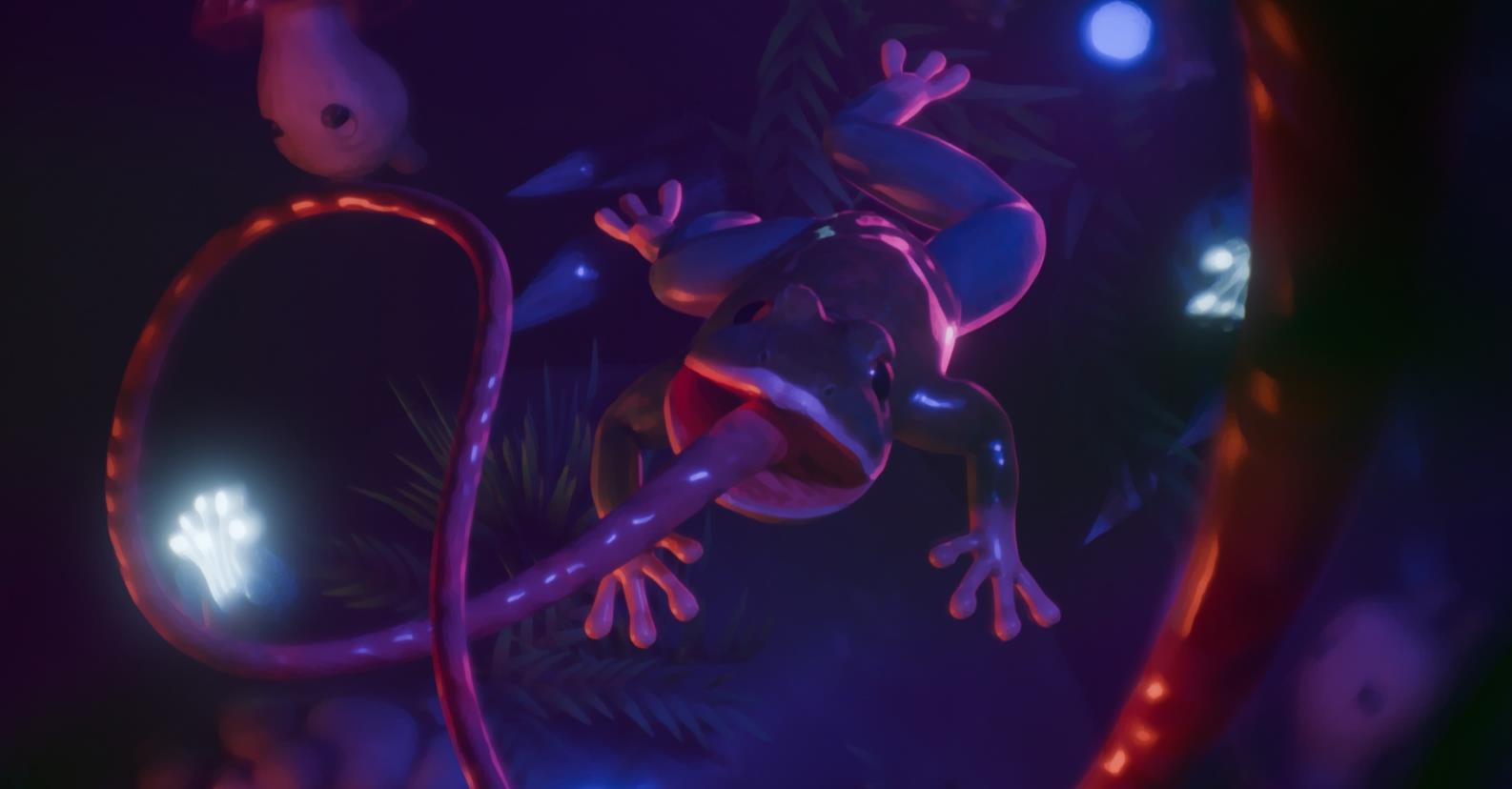
Make A Game
During the third year of upper secondary school I participated in a project called Make A Game. It is an initiative created by Ung Företagsamhet (Junior Achievement) together with Embracer Group, Mirage Game Studios and The Great Journey, and it replaces the regular final project. Participants start their own studio, make either a complete game, a demo or a concept, and finally present and pitch it to a jury and an audience.
Frogga won 2/3 awards in the Make A Game project:
- Audience Choice
- Game Of The Year
My part
Seeing as I had been actively creating games for many years, I wanted to challenge myself and create a complex and polished demo for a game that could be expanded upon and released after the project. I did this together with a friend who handled the art. My responsibilities:
- All gameplay programming and tooling
- Technical art: shaders, procedural animation and simulations
- Game and world design, shared with my partner
- The soundtrack, which this write-up leaves aside to focus on the tech
When starting development, my partner and I sketched out a few different ideas but ultimately decided to base our game on one I had developed for the GMTK Game Jam in four days. That game was called Frogga: a simple platformer where the titular frog's tongue is used for different actions. We decided to expand it into a Metroidvania-like game with a heavy focus on exploration and environmental interaction.
Aside from knowing we wanted to keep the tongue mechanics, we did not really have a hook. It took a few prototypes and experiments to find the game's niche, which ended up being physics. Almost everything in the game is simulated by the physics engine, which makes it feel very dynamic and serves the exploration and puzzle focus well.
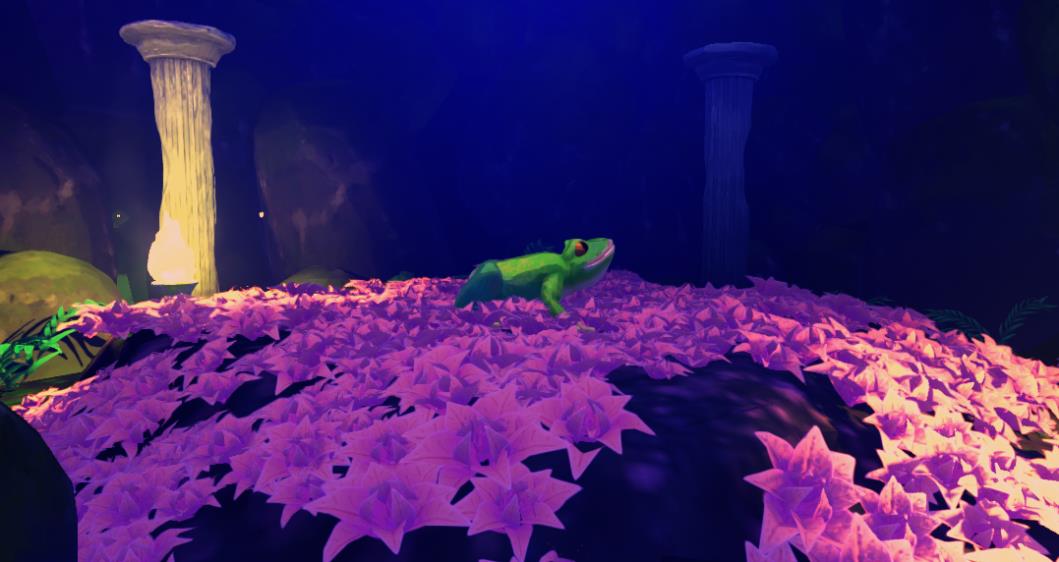
Why Godot and C#
Frogga is built in Godot 4. I chose it mostly for familiarity and because I find the workflow and openness appealing. Godot is easily modifiable and extendable, which suits how I like to split systems into plugins for architecture and reusability.
While Godot mainly uses GDScript, I chose C# because I am more proficient with it and it performs better. The downside is that C# is not supported to the same extent as GDScript, which made some moments a little frustrating, mostly due to vague documentation.
Jolt instead of Godot Physics
Another fundamental choice was to use Jolt Physics, the engine behind Horizon Forbidden West, instead of Godot's built-in physics. Since the entire game is built on physics, Godot Physics did not provide the performance or stability that Jolt did.
Composition-based architecture
The architecture of my code is heavily influenced by Godot's node-based philosophy, which led me to favour composition over inheritance where applicable. Objects in the game are built from multiple nodes that each carry a separate script, and unique functionality comes from combining general-purpose scripts with specific functions. This heavily promotes reusable code over one-off scripts.
Bridging player and world
As previously mentioned, Frogga relies heavily on physics. Early on, that only applied to objects in the world and not the entities inhabiting it. I felt a large disconnect between the player and the world, since the player character was traditionally animated and moved no differently than in other 2.5D platformers.
One early experiment was fully procedural animation using raycasting and inverse kinematics. That made characters visually adapt to the environment, but they still had no real influence on physics-driven objects.
Active ragdoll
The winning solution was an active-ragdoll system, similar to games like Human Fall Flat or VR titles like Boneworks. Artist-created animations are simulated physically and characters adapt dynamically to the environment:
- Animations play on a virtual skeleton, which acts as the reference
- The visible skeleton is a ragdoll connected to the character
- Every physical bone looks at its virtual counterpart and tries to match its position and rotation
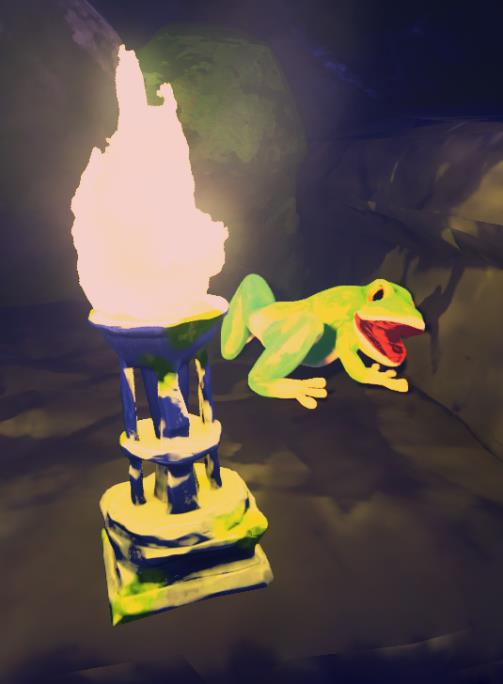
The frog physically reacts to having rammed into a wall. With traditional animation, characters stay stoic and stiff even when running into obstacles. Here the physical animation system tries to animate the head back into its idle pose but fails, because there is an obstacle in the way.
Hooke's law
Directly manipulating bone transforms would break the physics integration, so I needed an approach that computed the velocity and torque each frame for a bone to reach its target. We had recently covered Hooke's law in physics class, where it describes spring dynamics. It turned out to be a perfect fit: the physical and virtual skeletons can be viewed as connected by springs that pull the physical limbs to their desired location.
public static Vector3 HookesLaw
(
    Vector3 displacement,
    Vector3 currentVelocity,
    float stiffness,
    float damping
)
{
    return (stiffness * displacement) - (damping * currentVelocity);
}
The function returns the velocity or torque needed per frame to "retract" a limb to its target. The displacement vector is the difference in position or rotation between the two corresponding bones.
Trade-offs
Advantages:
- Simple. It only needs regular animations, with no advanced setup or programmer tweaks
- The only configuration is a ragdoll (colliders and limb weights) plus a stiffness and damping value per rig
- Seamless switching between full ragdoll and animation, since the player model already is a ragdoll
- The player has real weight. Puzzles where the player pushes down platforms by standing on them are not faked
Drawbacks:
- Small, detailed movement does not work well. Fully rigged fingers are out of the question
- Performance overhead: two skeletons per entity, and every bone is iterated every frame
Ropes, water and emergent design
The tongue uses Verlet integration for rope physics. Before going all in on physics I had a system that procedurally meshed the tongue and curved it towards any position near the player, but it was buggy and felt far too static once character animation was physical.
Liquid surfaces combine a ripple simulation with a simple implementation of Archimedes' principle for buoyancy. The ripples are only visual, but showing the player that their interactions affect the world matters as much as the mechanics.
Having most objects simulated means all systems connect and can be leveraged in level design:
- The player can drag objects and objects float, so large water surfaces can be crossed by collecting objects and dropping them in
- Bombs apply an impulse that sends physics objects flying, including the player, which opens up platforming built around explosion force
To implement some features of the game I developed custom plugins for Godot. I took this approach instead of implementing systems directly into the game as an exercise in building reusable tools that do not depend on any one game.
Behaviour Trees
The first plugin is a behaviour tree that lets me define AI for enemies and NPCs directly in Godot's scene tree, with very little code.
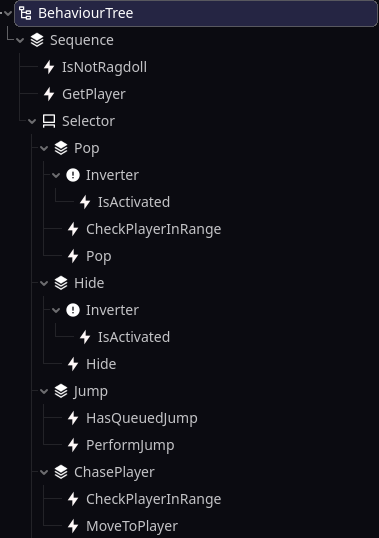
An example of an enemy which hides from the player and then pops out and chases them when the player is in range.
It follows the same principles as most behaviour tree implementations: a small selection of nodes that combine into advanced behaviour.
- Sequence runs its children until one fails
- Selector runs its children until one succeeds
- Inverter is a decorator that inverts its child's result
- Action nodes do nothing out of the box. Users derive them and define the behaviour that runs when the tree reaches them. The lightning bolt icons in the example are action nodes
The plugin also provides a blackboard: user-definable data shared with every node in the tree. In the example it gives all nodes that interact with the player a reference to the player object, so no action node has to fetch its own copies of shared references.
using BurtTree;
using Godot;

public partial class MoveToPlayer : ActionNode
{
    private const string PlayerKey = "Player";
    private const string ActorKey = "Actor";

    public override NodeState Action()
    {
        if (!TryGetBlackboardValue<Player>(PlayerKey, out var player) ||
            !TryGetBlackboardValue<Enemy>(ActorKey, out var actor))
        {
            return NodeState.Failure;
        }

        actor.MoveTo(player.GlobalPosition, GetPhysicsProcessDeltaTime());
        return NodeState.Success;
    }

}

// Not from the action script itself.
// Appended to show how the TryGetBlackboardValue method works.
// Originates from the ActionNode base class.
protected bool TryGetBlackboardValue<T>(string key, out T value) where T : GodotObject
{
    value = default;

    if (!Tree.Blackboard.TryGetValue(key, out var variant))
         return false;

    value = variant.AsGodotObject() as T;
    return value != null;
}
This action node calls the enemy base class's pathfinding to move towards the player. None of it depends on a specific enemy type, so the node works on anything deriving from Enemy. Focusing on reusable code and visual tools sped up development dramatically and lowered the bar for creating content: my partner, who focuses on art rather than tech, could implement a new enemy using my action nodes and the tree without ever opening a code editor.
Save / Load / Persistent Data
The game world is divided into zones that load in and out during traversal. The problem: all objects in a zone reset when you return. In most games physics objects are decorative, but here they drive puzzles, so solved puzzles would reset and in some cases the game could softlock. I needed a system that dynamically saves object state and restores it on re-entry.
At first I only saved the transforms of all physics objects in a zone. Later, many objects had custom properties that also needed saving, so I built on the fact that Godot exposes all public script variables as properties accessible by name through get and set. In line with the composition-based architecture, the save system exposes a "Persistent Node" that can be placed on any object. It holds the list of parent property names to save on exit and restore on entry. Everything is written into a simple data format I created.
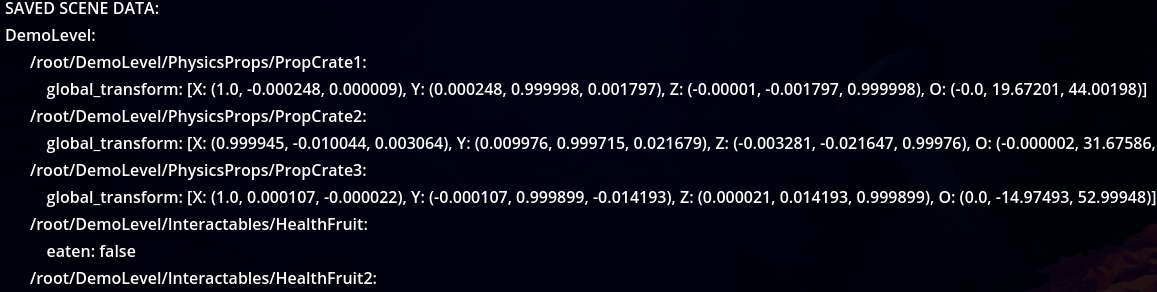
Internally it is a Godot Resource, so it can be embedded in other resources or saved to its own file, and it supports every type Godot's Variant does, from basic types to vectors and transforms.
One caveat: because it uses Godot's resource format and Variant, a modified save file could set an object's script property to a custom script embedded in the file and execute code. Distributing malicious save files for a small hobby game is unlikely, but I still wanted to make it harder. Save files are encrypted on save and decrypted on load. Since the key lives in the game's code it could still be recovered through reverse engineering, but that is as far down the security rabbit hole as I went before returning to making a game.